A CRM is built for sales. Spreadsheets were built for 1995. So when leadership asks why churn is up or which accounts are at risk, where does your CS team turn? By the time you've stitched together reports from Salesforce and Google Sheets, customers are already halfway out the door.
Dedicated reporting tools for Customer Success exist to solve this. They pull product usage, support data, and revenue signals into one place so you can spot risk early, prove impact clearly, and stop treating monthly reporting like a part-time job.
In this guide, we’ll help you find the best reporting tools for Customer Success so you can level up your data-backed decision-making.
Reports Customer Success Teams Need to Run
There is no shortage of guides, LinkedIn posts, Reddit threads, and YouTube videos telling you what reports to create. We’ll focus on the essentials for now.
The following are the critical reports you need to be able to run:
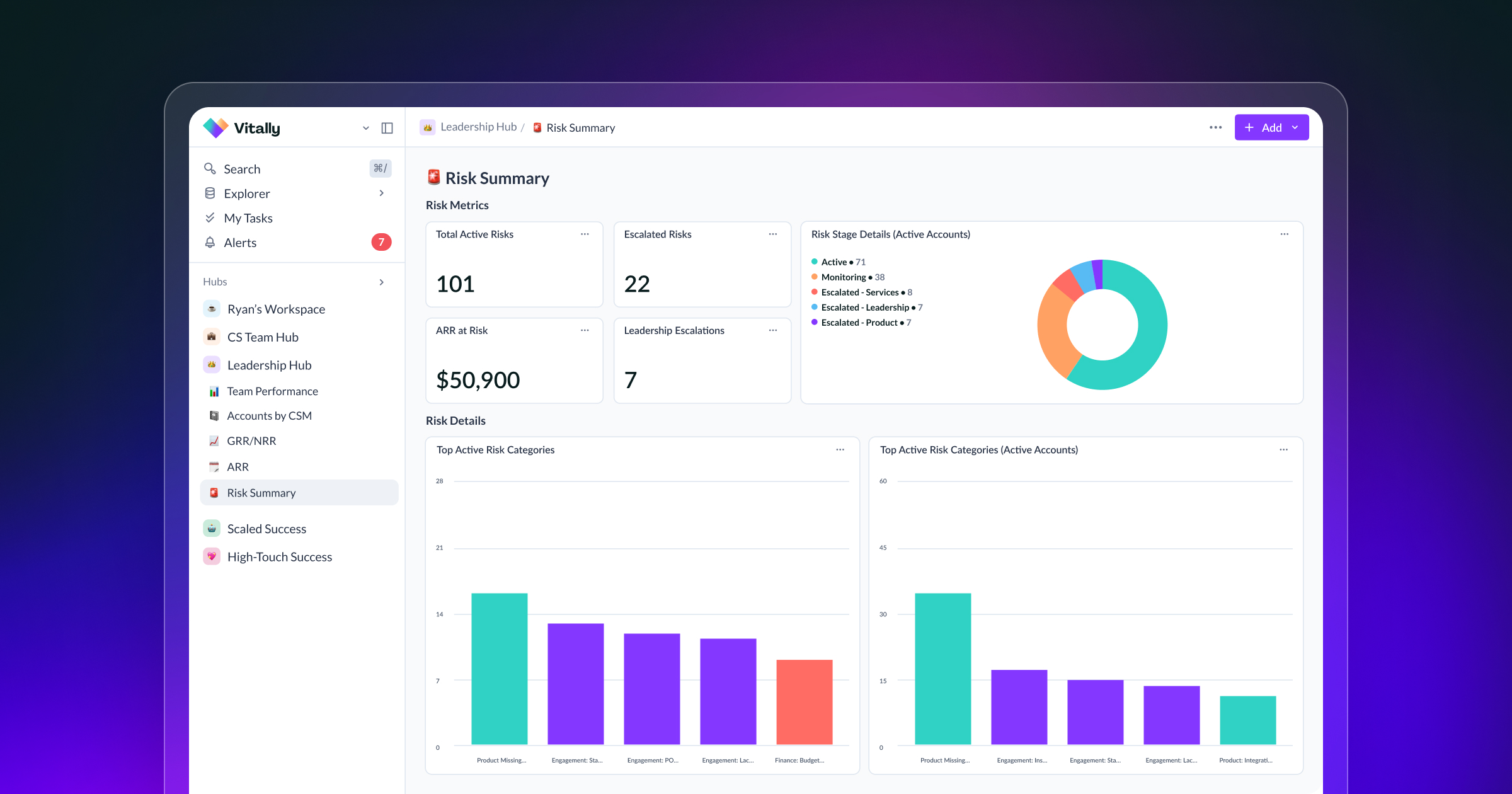
- Customer health: A customer health dashboard provides a single view of each account's status, including product usage, engagement frequency, support ticket trends, and sentiment signals.
- At-risk accounts: you need a risk or watchlist report that surfaces accounts trending downward before they hit crisis mode. This should be actionable, not just a red/yellow/green list.
- Churn and renewals: A renewal pipeline report that shows upcoming renewals with associated health scores, expansion opportunities, and risk flags. Your CS team should be able to look 90 days out and know exactly which accounts need attention and why.
- Revenue impact: Net revenue retention reporting that shows expansion, contraction, and churn by cohort, segment, or CSM. This is what connects CS activity to business outcomes and justifies headcount. You can start by simply tracking expansion revenue influenced by CS: upsells, cross-sells, and seat expansions that originated from CSM relationships rather than from outbound sales.
And you should be bringing in data from the following sources:
- Product usage data: Track how accounts use your company’s product. This can help reveal at-risk customers who aren’t using the product regularly, or time an upsell for power users.
- Communication history: Review communication with you, the CSM, support, and other points of contact.
- Support and sentiment: Are customers frustrated with support or generally upbeat? Tracking and reporting sentiment will help boost your health scores.
- Commercial data: How are your accounts doing? Is business good, or are their industries suffering? Business struggles are a common cause for churn.
Learn more about these and other success metrics you should track in your dashboards.
Here’s something many CS teams don’t always realize: your CRM can’t do all of this. A CRM is built for sales to streamline sales communication and activities. CRMs are great for keeping track of emails and calls for prospecting, but they’re not flexible enough to pull in all the data listed above.
For that, you need dedicated software designed for CS teams' reporting needs.
Mistakes to Avoid When Selecting Customer Success Software
While the platforms we recommend below are all best-in-class, there are a few key mistakes to avoid when selecting reporting software. These are:
- Buying features you’ll never use
- Underestimating implementation
- Ignoring integration depth
Buying for Features You'll Never Use
Enterprise platforms pack in every reporting capability imaginable: custom objects, multi-dimensional cohort analysis, predictive modeling. These may look impressive in a demo, but if your team needs a dedicated admin just to build a basic renewal dashboard, you're paying for complexity that slows you down.
The question is: What is your budget for admin overhead? If it’s “zero,” then evaluate platforms based on whether your CSMs can build and modify reports themselves.
Underestimating Implementation Time
Bringing in massive amounts of data is no small feat; the question is whether your team can afford to wait 3+ months for implementation to wrap up. If churn is a problem now, imagine how painful it will be in a quarter.
And that’s not hyperbole; legacy players in the space can take as much as three months to implement, depending on your needs and workflows. For mid-market teams, especially, a tool that takes an average of 90 days to deploy isn't worth the eventual payoff.
A modern, intuitive platform like Vitally typically takes 2-4 weeks to implement, drastically shortening your time-to-value.
Ignoring Integration Depth Until You're Locked In
Every platform claims "200+ integrations." Few mention that half are one-way syncs that send data into a black hole. And that’s the last thing you want in a flexible reporting tool you’re buying to answer questions rather than create more of them.
Look for a platform with deep native integrations with data warehouse support (Redshift, Postgres, BigQuery) and bi-directional sync. This will ideally include built-in product analytics with custom event tracking. If an integration isn’t natively supported, don’t worry. Just make sure the platform supports an API that your team can use to share data.
By avoiding these mistakes, you’re also avoiding slowdowns, wasted budget, and the massive headaches that come along with choosing the wrong software. Next, we’ll share our top platform recommendations.
The Best Reporting Tools for Customer Success Teams
We chose the following software platforms based on their features, user reviews, and G2 ratings. The best reporting software platforms we found are:
Vitally is one of the leading Customer Success Platforms (CSPs) and consistently earns high marks for its reporting and dashboard capabilities.
Vitally’s suite of reporting tools can do it all. You can:
- Track key metrics like health scores, product usage, and survey responses across accounts and segments.
- Build and share flexible dashboards without needing an admin or analyst.
- Report on segments or individual customers as needed.
- Add bar charts, line graphs, donut charts, and other visualizations.
- Embed dashboards into Docs for QBRs or pin them to 360 Profiles and Hubs.
- Build reports filtered by segment, stage, product plan, or custom traits to understand what’s driving risk, retention, or satisfaction across your customer base.
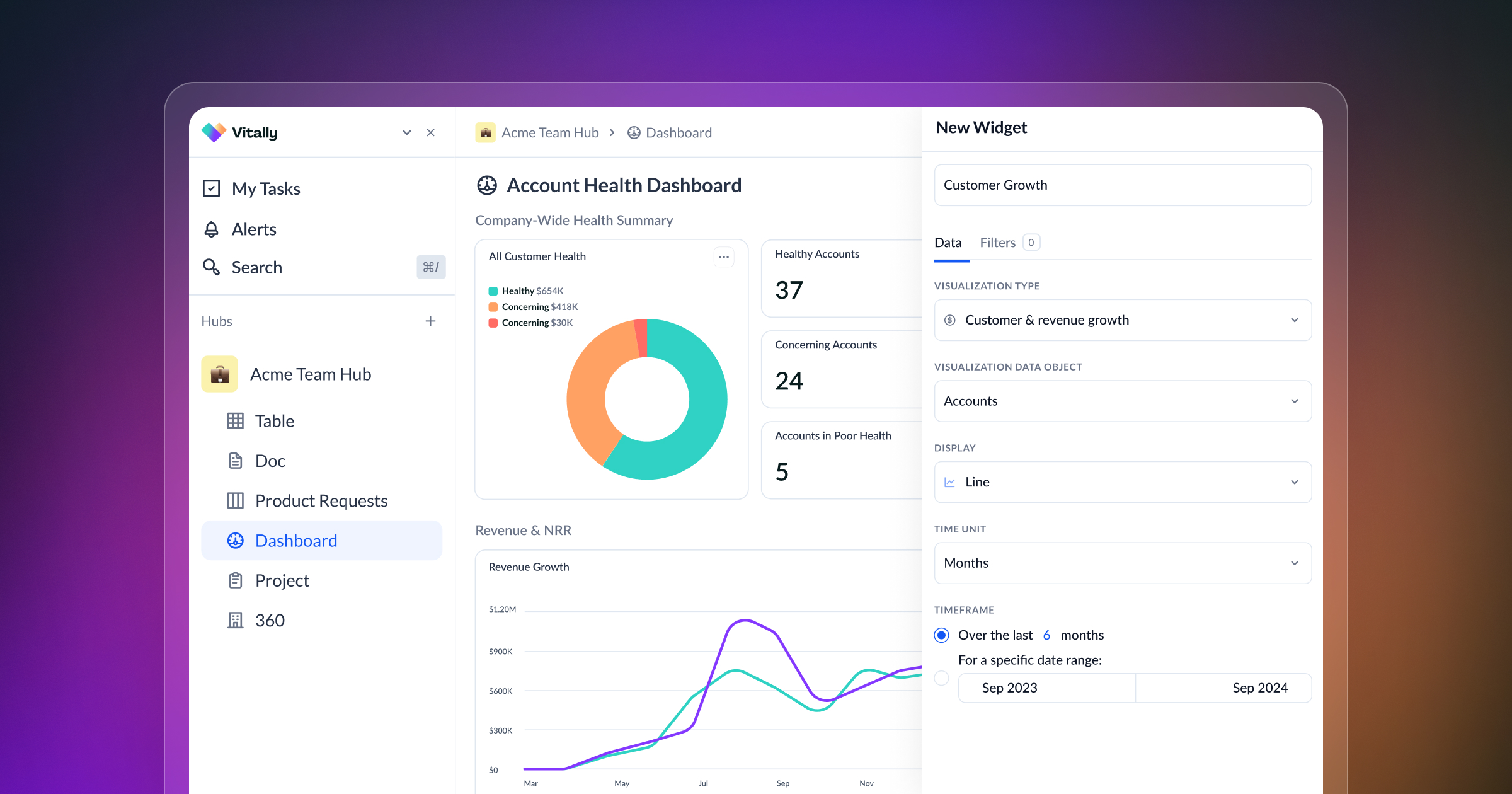
But what sets Vitally apart from other Customer Success platforms is its unified data model, which lets you collect data from your product, revenue history, support tickets, and even calls and transcripts in one place for deeper analysis. Not to mention Vitally’s ability to ingest real-time data from your product to fuel health score models or alert you of upsell opportunities.
This, combined with Vitally’s speedy implementation and time-to-value, makes it a great option for innovative CS teams looking to move fast while building their processes. Vitally earns rave reviews from CS teams for its user-friendly interface and seamless integration capabilities, offering a variety of automated actions and extensive API support.
One customer says it best in a recent review:
“I love how easy it is to build views and dashboards that make my day-to-day more efficient and report account health upwards to leadership. Their support team is very responsive and it feels like the product team is very focused on customer feedback.”
Other Notable Features
- Health scores
- NPS
- Custom and prebuilt surveys
- Automation
- Project management
- Note taking
- AI-powered features
Planhat is another excellent option that earns high marks in the industry for its flexibility and extensibility with data warehouses and other tools.
Like Vitally, Planhat is a flexible platform that lets you bring data from multiple sources for deeper analysis. Planhat boasts powerful reporting tools with business intelligence capabilities that allow you to create advanced dashboard reports.
Planhat also offers a wide array of pre-built reports and dashboards that allow CS teams to monitor key customer success metrics and track performance trends over time, from customer health scores and adoption rates to churn forecasts and revenue expansion opportunities.
Like others on this list, Totango is another solid option for CS teams looking to unify and report on their data.
Totango offers a custom report builder with real-time dashboards, trend visualization, and advanced filtering. It supports a variety of chart types, including stacked bar charts and table views.
However, some users find the reporting tools limited for advanced analysis – a common workaround is to export data to BI tools or Excel for deeper analysis. Implementation can also be a heavier lift than expected; some teams report that getting the platform fully configured to match their workflows takes longer than initially scoped, particularly for teams with complex workflows or custom health models.
Gainsight is the heavyweight on this list, as one of the top enterprise platforms for Customer Success teams.
Gainsight is a data collection powerhouse, allowing you to pull in customer and product data under one roof for advanced analysis in the app or export to CSV and other BI tools. All this power makes Gainsight a formidable platform to manage, though. Its reporting tools alone can carve out a full-time job within your organization, significantly increasing the total cost of ownership.
Gainsight is a fantastic tool, but it's best suited for enterprise use cases – for small- and mid-market teams, the complexity and price tag make it overkill.
Compare These Reporting Tools Side-by-Side
We’ve covered a lot of ground between the four tools above. Here’s a quick side-by-side comparison of them to help narrow down your decision.
Between these four CSPs, which will you choose?
Ultimately, it depends on your goals, team size, technical proficiency, and budget. If you ask us, Vitally is one of the best choices for innovative and fast-moving CS teams that live by their data and value the ability to design processes their way rather than fight with their tools.
Given the role data plays in diagnosing and predicting churn and managing renewals, CS teams can’t afford anything that slows them down or lets opportunities slip through the cracks.
See Why 600+ CS Teams Love Vitally: Take a Platform Tour
The four platforms above all offer a suite of powerful features to collect data across all your tools and sources for deeper analysis, but only Vitally packages them in a highly flexible and easy-to-use platform for innovative Customer Success teams.
With powerful automation features, seamless integrations, and a flexible API, Vitally is the top choice for innovative Customer Success teams looking to build a CS process tailored to their customers' unique needs.
To see how top-performing companies build a winning Customer Success org, schedule a demo of Vitally or explore our free platform tour today!
Table of Contents
Request a Demo

Request a Demo
Request a Demo