Let’s talk about AI.
It’s all we hear these days in Customer Success: We need to do more with less, find innovative ways to use AI, and somehow manage twice as many accounts while cutting churn in half.
Before you reach your hands up to tear your hair out, we’ve got you covered.
You don’t need to take a lengthy course, spend thousands of dollars on consulting, or onboard to an enterprise AI platform. In this guide, we’ll share the top prompts you can use with a simple $20 ChatGPT or Claude subscription to shave valuable minutes from your workflow.
Do This Before Prompting ChatGPT or Claude
We’ve all heard it before: ChatGPT and the like hallucinate and generate generic-sounding content that stinks of AI.
We don't disagree that this can happen, but if you take proper precautions, you can improve your output and reduce the risk of a bad or flat-out wrong response.
ChatGPT and Claude are powered by Large Language Models (LLMs) that ingest content from across the web, including websites, videos, and even Reddit threads, and generate content most likely to match your prompt.
So, when you type a generic prompt like “draft a renewal email for me,” the output will be equally generic. What you – and the LLMs – need is context: context about the customer, the situation, and what you are looking for.
You can dramatically improve your outputs by preparing the following:
- Your ICP
- Your communication history
- Your product data
- Support data and sentiment
- Product usage data
Rather than starting from a blank slate, ChatGPT will have much more context to shape its output. So the “renewal email draft” from before for a customer who hasn’t logged into your product in the last 30 days will look completely different from the draft for a customer who is a super fan.
Tips For Effective Prompting
Context is king, but getting a valuable prompt from AI requires more than copying and pasting 10 support tickets and a CSV of product usage statistics.
Bear the following tips in mind to maximize your chances of success:
- Be specific about context and role: Tell the tool who you are, what platform you're using, and what your goal is. For example, something like "I'm a CSM at a B2B SaaS company managing a $500K enterprise account that's showing early churn signals. Help me draft an outreach email" gives much-needed context and will yield better results than "write a customer email."
- Define the output format upfront: Tell the AI exactly what you want back. For example, ask for a bulleted action plan, a 3-paragraph email, or a talk track with objection handling. If you don't specify, you'll get something generic.
- Give it the customer's voice and situation: At the risk of feeding a fed horse, we’ll say this again: AI tools need context. Paste in relevant notes from your CRM, recent support tickets, or the account's health score context. The more relevant details you provide, the more useful the output.
- Use iterative prompting instead of hoping for a perfect first draft: Treat the first response as a starting point, not a final answer. Follow up with specific critiques like "Make this more direct," "Remove the jargon in paragraph two," "Add a specific call to action." CSMs who iterate get much better results than those who accept mediocre first drafts.
- Ask for options, not just one answer: When you're not sure what approach to take, ask for two or three versions in different tones. Having options lets you make a judgment call rather than defaulting to whatever the AI gave you first.
- Be explicit about what to avoid: If you don't want corporate-speak, say so. If the email shouldn't mention pricing, say so. Negative constraints ("don't use buzzwords," "avoid making promises about the roadmap") are just as valuable as positive instructions.
And for a final tip, remember that this is an aid to your workflow and not a substitute for the firsthand knowledge you have of your customers and the situation. Weave AI into your workflow to speed up tasks, but don’t let your brain snooze at the wheel while ChatGPT manages your accounts.
Keep this context in the back of your mind, because we’re going to share our favorite Customer Success prompts next.
23 Effective AI Prompts for Customer Success
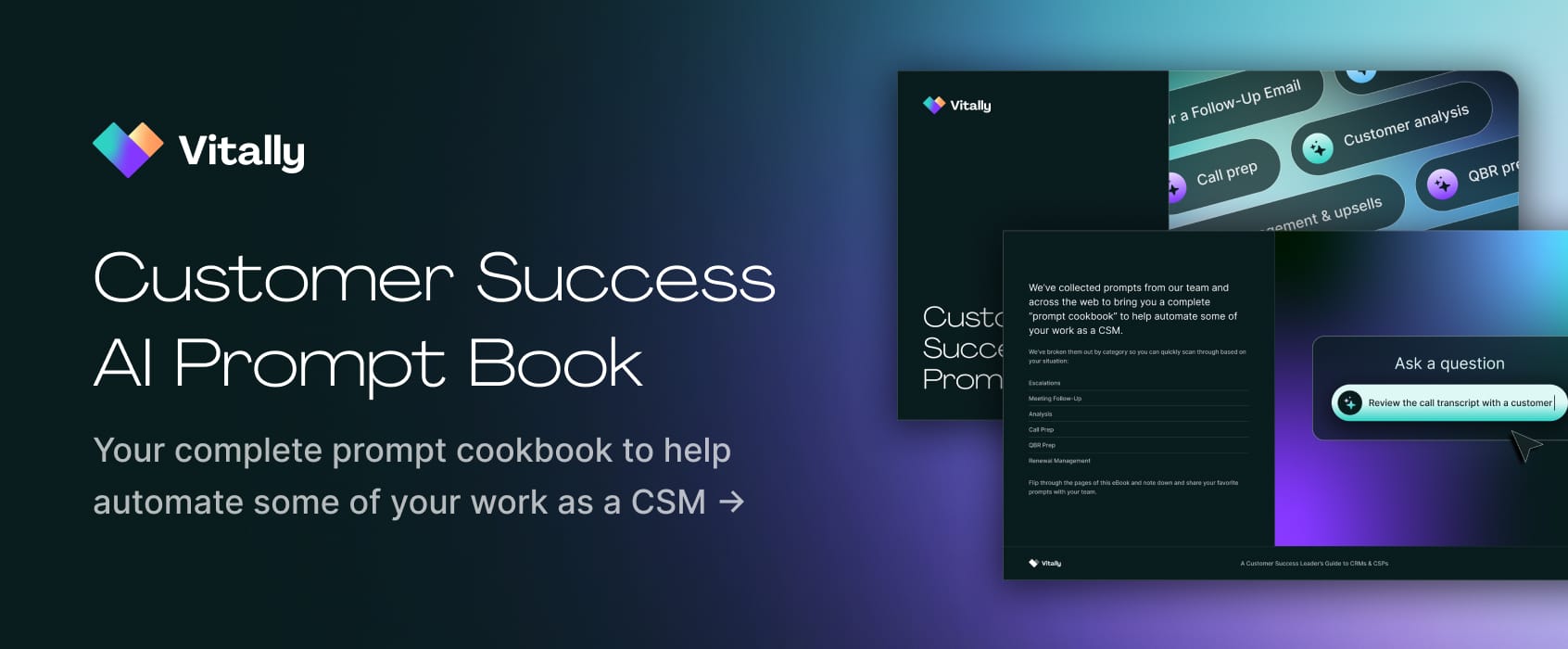
We’ve collected prompts from our team and across the web to bring you a complete “prompt cookbook” to help automate some of your work as a CSM.
To make it easier for you, we’ve also broken them out by category so you can quickly scan through based on your situation:
- Escalations
- Meeting follow-up
- Analysis
- Call prep
- QBR prep
- Renewal management
4 AI Prompts for Escalations and Churn Management
Oh, escalations, if only there were a way to generate an AI version of yourself to handle these calls. Fortunately, the following are handy prompts for handling and preventing escalations from your accounts:
- Review the following customer support tickets and responses. Please identify any escalation risks you see. What would you recommend as the next steps?
- Please help me draft an objection-handling script for a customer who is concerned about the cost of our premium subscription plan. They are comparing our offering to a cheaper competitor.
- Identify recurring concerns or issues raised by the client over the past six months based on their interactions, including meetings, emails, support tickets, and related notes. Provide concise and impactful bullet points with numbers. Highlight any concerns that have not been adequately addressed or resolved.
- Review this customer's usage data from the past 90 days. Identify any customers who may be at risk of churning due to usage drops, reduced login frequency, or support interactions. Summarize the findings in a table with columns: Customer Name | Risk Factor | Notes.
Escalations can be thorny when emotions run high, but having a companion to guide your responses can lower the tension on your side, which, in turn, will translate to your customer. When using these prompts, it is helpful to provide relevant data like:
- Call transcripts
- Copies of support tickets and exchanges
- Communication history with you and the customer
- Product usage data
3 AI Prompts for Meeting Follow-up

These days, everyone has a meeting recorder and note taker to join their calls. But be honest, how often do you actually go back through the recordings after a call?
Don’t worry, no judgment here. If you’re like most CSMs we speak with, you’ve got a million things on your plate, so carefully reviewing your notes to come up with tasks may sit lower on your priorities.
Here are some prompts you can use post-call to draft tasks, come up with action items, or spot risks:
- Review the call transcript with a customer, along with our communications history. Please then define the immediate next steps and tasks that I should take.
- It helps if you align a goal with this, for example: to prepare for their upcoming renewal.
- Please review the following draft for a follow-up email to a customer. I’ve included the call transcript. Please tighten/revise my email as needed to align with the next steps defined on the call.
- Please give me an executive summary of the latest call with the customer. Date and time of call: Who were the attendees, topics, and what were the next steps? Provide this in a shareable format for distribution across my team.
Post-call reviews and follow-up are prime tasks for AI to handle while you focus on more strategic and higher-impact work. When using these prompts, it is helpful to provide relevant data like:
- Call transcripts
- Communication history with you and the customer
- Product usage data
4 AI Prompts for Customer Analysis

Yes, there are cautionary tales of hallucinations and imagined data, but with proper guardrails, ChatGPT can be an excellent companion in quickly parsing through large amounts of data to reveal key insights about your customers.
As with any prompt, you need to trust but verify. That said, this is a great way to speed up your path to insights if you are not a data scientist or don’t have time to wait for your business analyst to generate a report. When it comes to prompts, we recommend the following:
- The following CSV files document customer usage of our product. Please identify usage patterns and any subsequent overages. Call out the risks of customer drop-off or opportunities for upselling.
- Craft a set of 10 survey questions aimed at understanding our customers' experience with our platform. Ensure the questions are open-ended, encourage detailed feedback, and cover aspects such as the user interface, ease of navigation, and responsiveness of customer support.
- Review this CSAT survey data from Q2. Calculate overall average, identify outlier scores, and summarize feedback themes if available. Output as a short summary with key stats and top positive/negative feedback examples.
- Examine this export of support tickets from the last quarter. Identify the top 5 recurring issues and provide a short summary of root causes. The output should include a ranked list of issues, their frequencies, and potential CS actions.
While Customer Success hinges on relationships, managing customers at scale requires quantitative data about your accounts. When using these prompts, it is helpful to provide relevant data like:
- Call transcripts
- Product usage data
- Support ticket data
- CSAT and survey data
- Communication history with you and the customer
5 AI Prompts for Call Prep
Another great use for AI (and a massive time-saver for you) is to help guide your call prep.
From setting agendas to distilling talking points based on the latest feature launch. Here are some of the top ways you can leverage ChatGPT when preparing for your next call:
- Here is the communication history, product usage, and renewal date for a customer. Please review it and give me 5 talking points for our upcoming call.
- Bonus points if you frame this around a specific task, like renewal, contract evaluation, or escalation.
- I have a call with a customer today to review our latest product updates so they can educate their team. Please review the following product and release notes and provide me with a condensed summary to share.
- Please return a list of upsell opportunities for the customer. This should be a list of products or services that the customer has expressed interest in. Highlight whether customers have ever asked about adding seats or shared plans to scale their team.
- Please highlight any small talk we discussed with this customer (hobbies, interests, vacations, etc.) Please highlight any standout quotes from the team over the past month and provide ways to weave them into a conversation.
- Please generate a customer meeting agenda based on the activity, Slack messages, emails, activity logs, all other open issues, product usage analytics, and previous meeting notes from the last 30 days.
When using these prompts, it is helpful to provide relevant data like:
- Past call transcripts
- Communication history with you and the customer
- Product usage data
While call prep rarely takes more than 30 minutes, that’s still valuable time you can save by using AI to speed things up a bit. In minutes, you can have an agenda, summarized product notes, and a list of upsell opportunities ready to go. Why do that manually?
3 AI Prompts for QBR Prep
Quarterly Business Reviews (QBRs) give you the critical opportunity to gather all your stakeholders in one room and make your case for the value that your account is getting from your product. These are important meetings, and an effective CSM needs every advantage they can get.
Here are some prompts that can speed up your prep:
- I have an upcoming Quarterly Business Review (QBR) with our clients. On the call will be {List the roles}. Here are the usage, support, and renewal dates. Identify 5 specific risks and 5 expansion hypotheses. Tie each to a stakeholder persona and suggest 1 slide idea per point.
- Summarize the top wins, risks, and product usage highlights for my customer ahead of our Quarterly Business Review (QBR). Use their latest health score, usage trends, and support ticket history. Format as a bulleted prep doc for internal review.
- Generate a list of three creative ideas to enhance our upcoming Quarterly Business Review (QBR) with our clients. Please provide ideas that are engaging, reflect our innovative approach, and are likely to encourage a deeper discussion on strategy and future collaboration.
When using these prompts, it is helpful to provide relevant data like:
- Call transcripts
- Copies of support tickets and exchanges
- Communication history with you and the customer
- Product usage data
- Wins
- Stakeholder information (names, seniority)
- Subscription and revenue data
Want a boost beyond these prompts? Check out our QBR template!
4 AI Prompts for Renewal Management and Upsells

We’ve alluded throughout the above sections that AI can be used to spot upsell opportunities and guide renewals, so here are dedicated prompts for just that:
- Create a renewal call prep checklist for my customer. Include contract terms, current usage, known risks, and upsell potential. Output as a bulleted checklist.
- Construct a template to capture customer case studies. Our goal is to showcase the benefits and results our clients have achieved with our software. The template should include sections for Company Background, Challenges Faced, Solutions Provided, and Results Achieved, as well as a client testimonials section.
- Craft a proposal for an upsell opportunity to existing customers, offering them our newly launched add-on. Describe the benefits and how this module complements their existing digital marketing services with us. The proposal should be persuasive, highlighting the additional value they'll gain with this module.
- Please find every direct business opportunity discussed with the customer for its own use (upsell, upgrade, additional seats, cross-sell, contract renewal, budget forecasts, or internal budget request). You have to rely solely on customer conversations and notes.
When using these prompts, it is helpful to provide relevant data like:
- Subscription and revenue data
- Product usage data
- Communication history with you and the customer
Are There AI Tools Beyond ChatGPT and Claude For Customer Success Teams?
LLMs like ChatGPT and Claude are a great starting point, but they have their limits.
For one, these tools require you to copy and paste all relevant customer, product, and revenue data into them, which can work if you are just getting started, but it’s difficult to do at scale. Fortunately, there are AI-powered platforms dedicated to the specific needs of Customer Success.
Some of the top platforms include:
- Vitally - great for fast-moving and innovative teams.
- ChurnZero - a solid legacy player in the CS space.
- Planhat - a flexible platform with great data warehousing capabilities.
- Gainsight - an enterprise-centric option if you have advanced needs.
While all four platforms offer strong AI capabilities, Vitally stands out for its emphasis on ease of use and speed, without sacrificing power. With Vitally, you can bring all of the relevant data we mentioned above:
- Call recordings
- Support tickets
- Revenue data
- Product usage
And with the power of AI, you can automate Playbooks, generate tasks and to-dos, ask questions about your data, and gather insights in record time.
Download the CS AI Prompt Book
Armed with the right tools and prompts, there is no stopping you from cutting hours from your workflow.
We’re not just going to leave you with a list of prompts in a blog post, though. We compiled these prompts into a downloadable eBook that you can share across your team. Save your favorite prompts, create a custom GPT, and see how much time you can save across all of your accounts.
Get your free copy.
Table of Contents
Request a Demo

Request a Demo
Request a Demo