CS leaders, are you using AI to coach your team? If not, you should be.
Put the pitchforks down. We’re not saying you should let AI take the wheel and do all the managing for you. But there are ways to use AI as leverage without over-extending yourself.
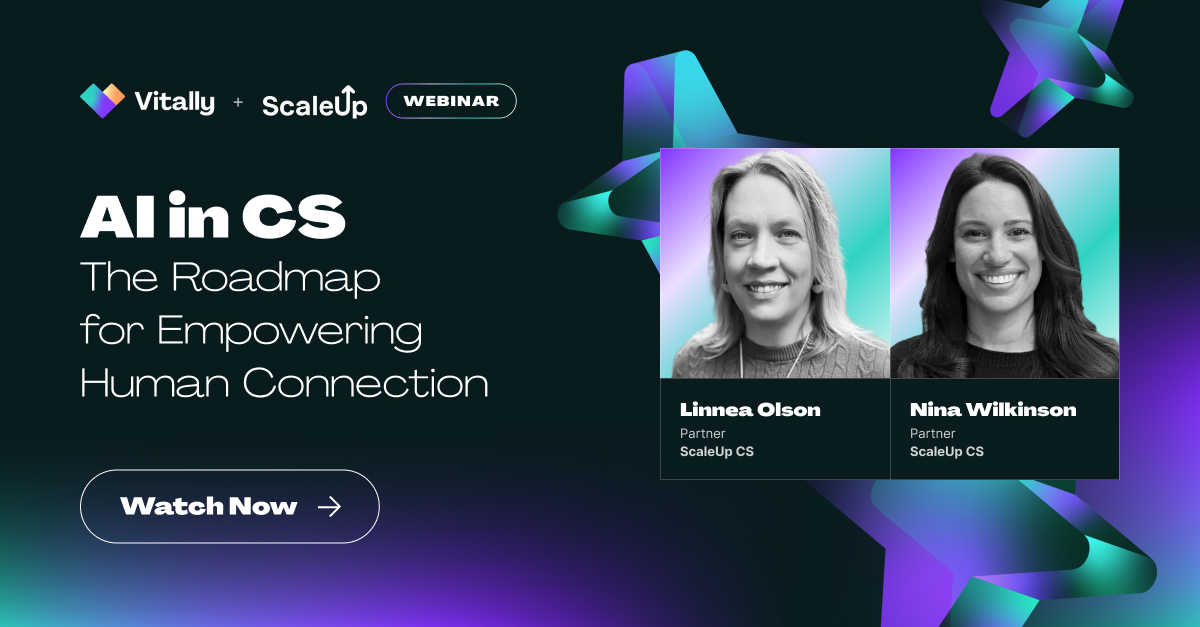
Linnea Olson and Nina Wilkinson are the leading experts in leveling up CSM teams through ScaleUp CS, and we were lucky enough to have them on a recent webinar on this very topic. Nina and Linnea share how they use AI in a human-centered way without being human-limited. Read on to see how you can use AI to empower and coach your team.
Meet the Experts
If anyone has a leg to stand on in using AI as a CS leader, it’s Nina and Linnea.
Nina has managed six Customer Success orgs over the years at companies ranging from Series A to D – including standouts like Apollo, Lob, and Canary Technologies. Nina has built CS teams in-house while helping individuals build their CS careers, and now, through ScaleUp CS, she partners with B2B companies to build and scale their CS orgs.
Linnea has worked in CS since 2014, managing CS operations at Apollo and Jamf after beginning her career in sales; it was the relationship-based approach to sales that gave her a taste – and love – for the operational side of Customer Success. Currently, Linnea heads Customer Experience at When I Work.
AI Solves the Issue of Capacity, Not Discipline
The issue of finding time to coach your team is a matter of capacity, not discipline.
If you’re a CS leader, you probably should review your team’s calls every week to learn your product’s limitations and see how CSMs are performing, how they handle objections, or where customer sentiment really sits. You have the discipline to do that, but it’s unlikely that you have the bandwidth to. At least not every week.
With a team of 10+ CSMs, most CS leaders are lucky to review 2-3 calls per week, usually at 2-3x speed, which strips tone and nuance from the recordings. AI doesn’t fix the discipline here, but it does help with capacity by allowing you to “listen” to every call and decide how to allocate your time.
By using AI to augment what you are capable of doing, you can speed up your path to insights from your team, which means more and better insights trickling down to your CSMs.
Time-Saving and Effective Use Cases for AI
Linnea and Nina shared a few specific examples of how they use AI as CS leaders; our favorites from the call are:
- Call reviews
- Automated coaching opportunities
- Sales to CS handoffs
Call Reviews
Let’s start with the easiest use case for AI: call reviews.
Rather than ask AI to review calls arbitrarily, Nina shared a specific framework she uses to coach CSMs and to guide any output she gets from an AI tool. This framework covers four competencies she looks for and a three-point scoring scale (below expectations, meets expectations, exceeds expectations).
Those four competencies are:
- Discovery and business intelligence. Did the CSM surface meaningful business context and not just product talk?
- Communication and outcomes. Was the value quantified with that customer, and was it tied back to the customer's goal?
- Risk identification and mitigation. Was there risk surfaced in that call and documented before it was escalated?
- Stakeholder engagement and relationship depth. Are we multithreaded across the buyer and champion, not just our day-to-day POC? Do we have full breadth and depth into the account?
You can use the above competencies in your prompts or create a custom Claude Skill to guide Claude’s responses. Claude Skills are Markdown files that instruct Claude on how to respond. The great thing about Claude Skills is you can customize them however you want to get the exact outputs you need. Click the link below to download 5 Claude Skills to test and share with your team.
The point is to provide a guided way to review and assess your team, and to let that guidance carry over to AI as you give it access to call transcripts. Nina mentioned using the above rubric for check-ins, QBRs, renewals, and onboarding – any time your CSMs are speaking with customers and need coaching.
Automated Coaching Opportunities
If you can use AI on a case-by-case basis, why not automate it?
Nina shared how she uses the above framework to score every call and post a digest for her in Slack every Monday morning. This allows her to find out what’s worth celebrating and what’s worth coaching in under five minutes every week.
What used to take hours on a Monday morning can be condensed into a quick morning coffee before she starts the day. The real win is what she is freed up to do. By not guessing what call is worth listening to, she’s not rushing through and missing things. It also provides timely, relevant feedback to her team when they need it most.
AI can do so much more than aid in finding coaching opportunities, though. Next, we’ll share how to use AI to spot risks during sales-to-CS handoffs.
Sales to CS Handoffs
So much of Customer Success hinges on the big events: onboarding, renewals, and QBRs. Handoffs are just as critical, and they’re often a time when early churn risks can pop up if you know what to look for.
Linnea mentioned building an AI-powered flow to catch signals buried in SDR calls. She noticed a pattern of risk signals that surfaced early in the sales process, so rather than manually digging through recordings, she built an AI-powered system to automatically pull quotes and enable CSMs to respond directly before accounts churn.
Before, CSMs might have started calls with the usual, “So tell me about your product and who you serve.” After, CSMs are able to hit the ground running and provide value for new accounts from the get-go.
This type of AI assistance equips her CSMs with the information they need about every account they onboard, provides signals to watch for, and helps speed up the “getting to know you” part of onboarding.
Looking for a way to automate that rather than build it from scratch? Vitally can help you there. Vitally’s AI Copilot for Customer Success allows you to generate AI Summaries based on custom prompt templates for any account. For example, you could create a template for a Sales-to-CS handoff, save it for your team, and generate a handoff document in seconds for every new account.
What Changes When Leadership Uses AI For Coaching
We’ve shared a framework you can use to effectively gauge your CSM team’s performance and three actionable ways you can use AI to provide better feedback to those who need it most.
That’s not even the big “so what?” for Nina.
Nina mentioned that the biggest change she has seen in her workflow as a leader is that she finally gets to stop guessing which calls to listen to and has stopped letting key risks slip through the cracks. This gives her more coaching opportunities, more thoughtful insights to share, better feedback, and stronger bonds with her team members.
For those who repeatedly say that AI is impersonal, we’d counter that the real value lies in what AI frees you up to do rather than the outputs it generates on its own.
Before using AI to speed up her processes, a lot of Nina’s time was spent on last-minute heroics to save an account, listening to calls at 3x speed, and hoping to catch what matters. Since implementing thoughtful AI processes, she can pinpoint the specific coaching opportunities needed, provide timely feedback, and spot churn risks before they flare up at renewal.
Automate Busywork and Focus on What Matters With These Claude Skills
As you’ve seen, AI has the potential to arm your CSMs and CS leadership with better insights, customer trends, and warning signals before they turn into churn risks.
You can’t just open up Claude and expect gold, though. You need to tell Claude how to think, what to look for, and how to respond. The best way to do that is with Claude Skills, which are Markdown files that instruct Claude to act the way you want it to.
If you’re unsure of where to start, don’t worry – we’ve got you covered.
Click the button below to access our Claude Skills library, where you can browse available Markdown files written specifically for different CS tasks. Share them with your team to automate QBR prep, call follow-up, and more.
Table of Contents
Request a Demo

Request a Demo
Request a Demo