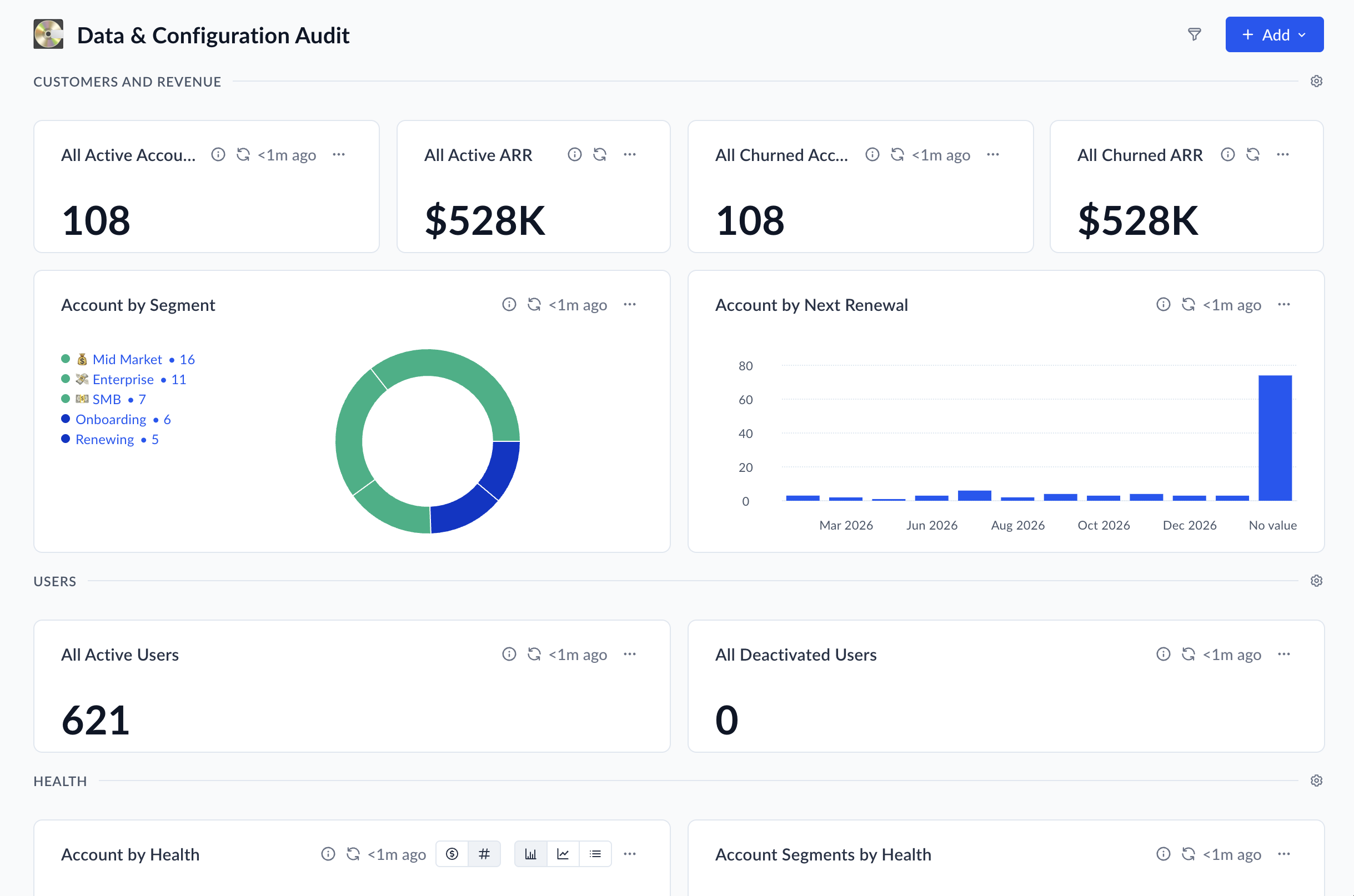
Overview
Value
This dashboard helps you quickly understand how your Vitally data is structured. It shows whether accounts, revenue, ownership, health scores, and segments are set up the way you expect. Use it to spot gaps, inconsistencies, or areas that need cleanup so your reporting and workflows are built on solid data.
High-Level Strategy
Use this dashboard as a regular checkpoint. Review it during implementation, after major changes, and periodically as your business grows. Confirm that totals align with your source systems, ownership is fully assigned, segmentation coverage makes sense, and health scores are distributed realistically. Small adjustments here can prevent larger downstream issues.
Technical Guidance
Compare dashboard metrics against your CRM or billing system to validate accuracy. If something looks off—such as unassigned accounts, missing segments, or unexpected health distributions—review your data mappings, segment criteria, health score configuration, and user assignments in Settings. After making changes, return to the dashboard to confirm everything reflects the intended setup. Think of it as your baseline: a shared source of truth to support confident decision-making and long-term success.
What's Included?
- Dashboard

Ready to Scale Your Customer Success?